
Choosing is the point of a book vending machine: a book the child picked is a book the child is more likely to read. But schools and families also want a say in what’s on offer. A teacher running a unit on ocean animals wants those books in the mix. A parent may want to keep a series their child already owns off the list. Book lists give adults that say without taking the choice away from the child.
This page is part of the book vending machine for schools guide.
Two ways to set a list
| Option | What the student sees | Typical use |
|---|---|---|
| Any book at this level | Every in-stock title at the code’s reading level | Everyday rewards |
| Only the titles I pick | Only the titles the adult ticked, if in stock | A class theme, a series, a parent’s preferences |
The list always sits inside the code’s level. A K–2 code with a hand-picked list shows only those K–2 titles, never anything from 6–8.
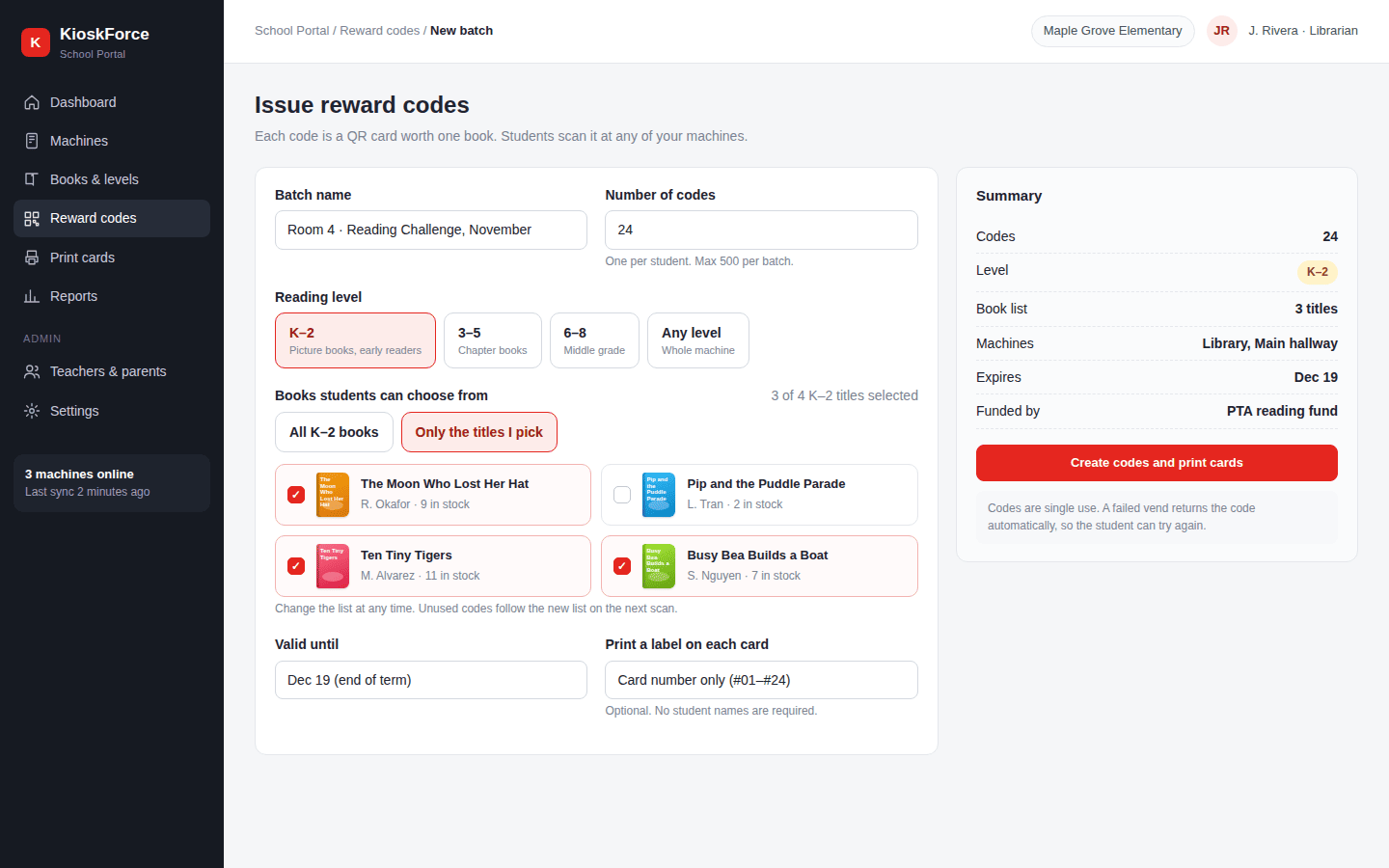
Teachers: lists by class and theme
When a teacher issues a batch of codes, the book list is set for the whole batch. Typical patterns:
- A unit theme. Ocean animals, a holiday, an author visit.
- A series. The first three books of a series the class is reading together.
- Rotation. New arrivals only, so returning students see something new.
Changing the list applies to every unused code in the batch on the next scan, so a teacher doesn’t have to reprint cards when the theme changes.
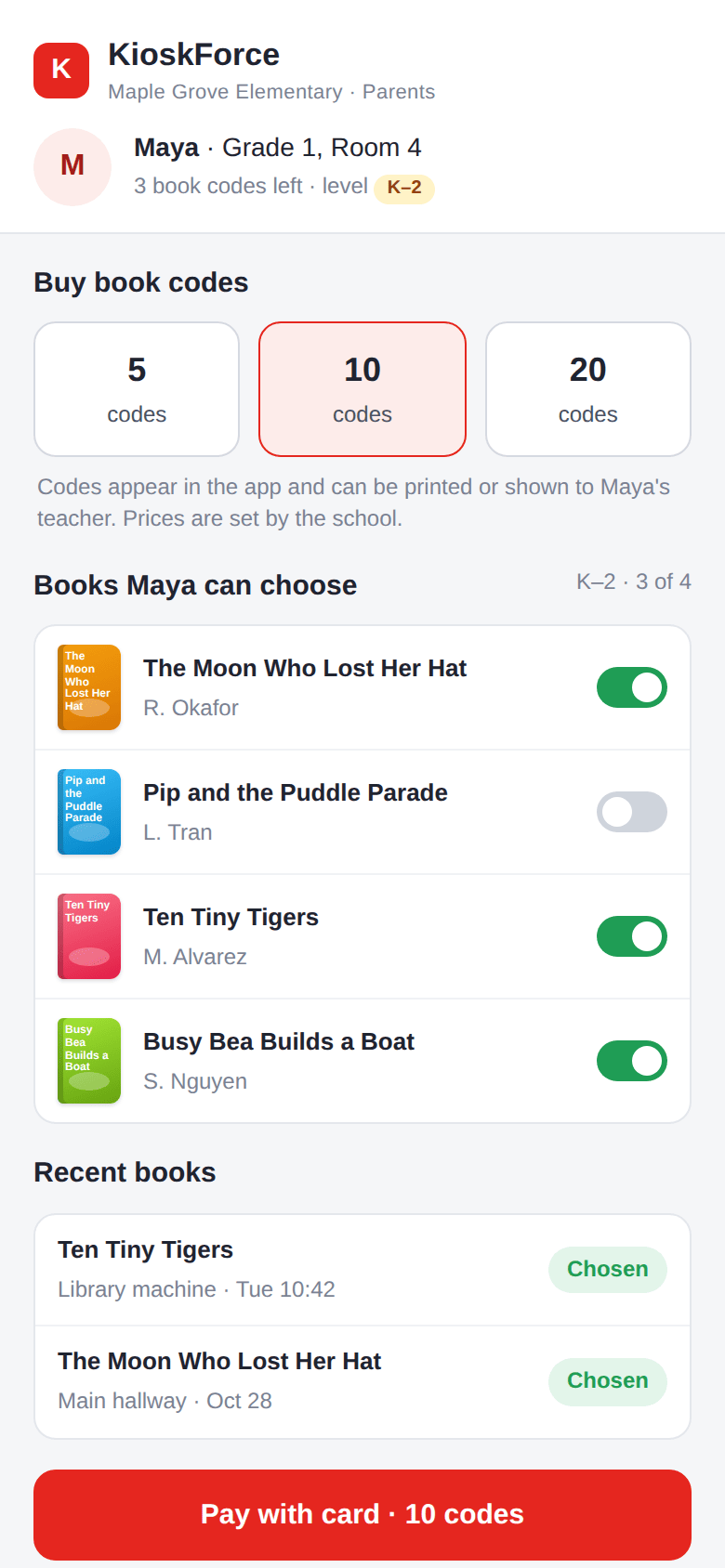
Parents: switch titles on or off
Parents who buy codes online see the titles at their child’s level, each with a switch. Turning a title off hides it from their own child’s codes and nobody else’s. The parent also sees which books the child chose, so a series doesn’t get bought twice.
Who decides what’s in the machine
Book lists choose from what’s already in the cabinet. What goes into the cabinet stays with the school’s library staff, under the school’s own selection policy. A parent’s list affects only that parent’s codes. It doesn’t remove a title from the machine or from other children’s choices.
Frequently asked questions
Can parents choose which books their child gets from a book vending machine?
Yes. In the KioskForce School Portal, a parent switches individual titles on or off for their own child’s codes. When the child scans a code, the machine shows only the switched-on titles that are in stock. The parent can change the list at any time.
Does a book list take the choice away from the student?
No. The student still picks the book, from a shorter list. A list of three or more titles keeps a real choice. A single-title list is possible, for example for a class set, but most schools keep a few options.
What happens when a title on the list sells out?
The machine only shows titles that are in stock in that machine. If every listed title is sold out, the student sees a message to ask their teacher, and the code stays unused. The dashboard flags the empty selection for a refill.
Related
- Reading levels: the boundary every list sits inside
- Parents buy book codes online
- Printable QR reward cards
- QR reward codes
- Book vending machine for schools
Talk to us
Tell us who should be able to set lists at your school: teachers only, or teachers and parents. We’ll configure the School Portal accordingly.
Project brief · 60 seconds
What are we building together?
Three quick steps. Your brief goes straight to the engineers who design, build and support KioskForce systems.

