
Unattended Equipment Hire: Turn Idle Hours Into Rental Revenue
Automated equipment hire replaces the staffed rental counter with a smart locker system that operates 24/7. Customers walk up, browse available equipment on a touchscreen, pay by card or QR code, and a locker door opens — no staff required. The rental is held against the card on file until the gear comes back, and compartments can be specified with weight sensors that verify the return automatically. KioskForce provides the complete system: hardware, software, payment integration, and remote management. Venues typically recover their investment within 6-12 months through new rental revenue and reduced staffing costs.
How It Works: 4 Steps, Zero Staff
| Step | Customer Action | System Action |
|---|---|---|
| 1. Browse | Customer views available equipment on the touchscreen — with photos, descriptions, and pricing tiers. | Lockers display LED status: green = available, red = in use. |
| 2. Pay | Customer selects equipment, pays by card or QR code (WeChat Pay, Alipay supported in eligible regions). | System processes payment, records the rental start time, and logs the compartment weight baseline. |
| 3. Pick Up | Locker door opens automatically. Customer takes the equipment. | System records the pickup and starts the rental. On cells specified with weight sensors, the “out” weight is logged too. |
| 4. Return | Customer returns equipment to any available compartment and closes the door using the same card/QR code. | The return closes the rental and releases the hold on the card. Where the cell carries a weight sensor, the return weight is compared to the out weight: match = complete, underweight = door stays open and staff are alerted. |
Live Deployments: What This Looks Like On Site
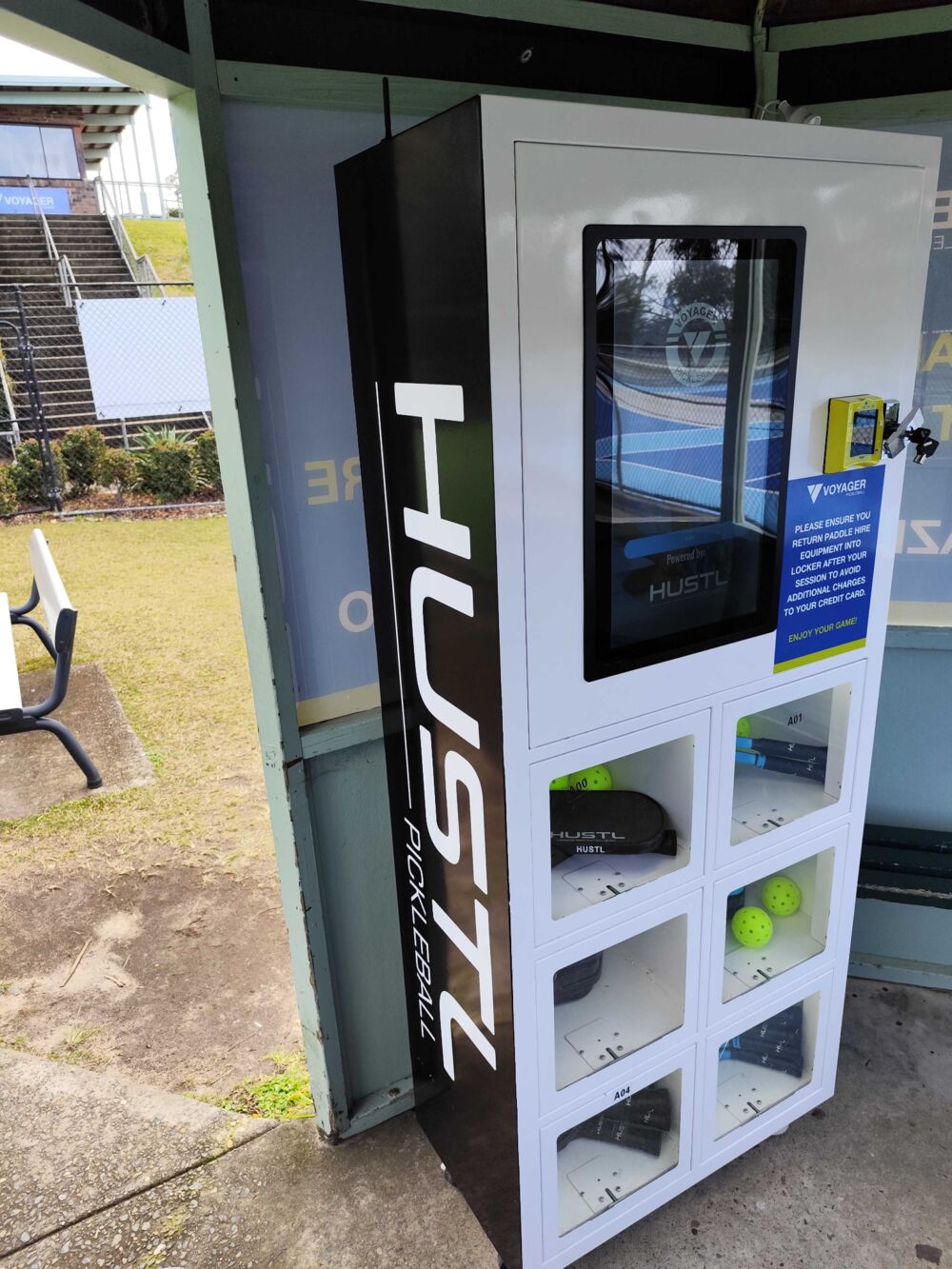
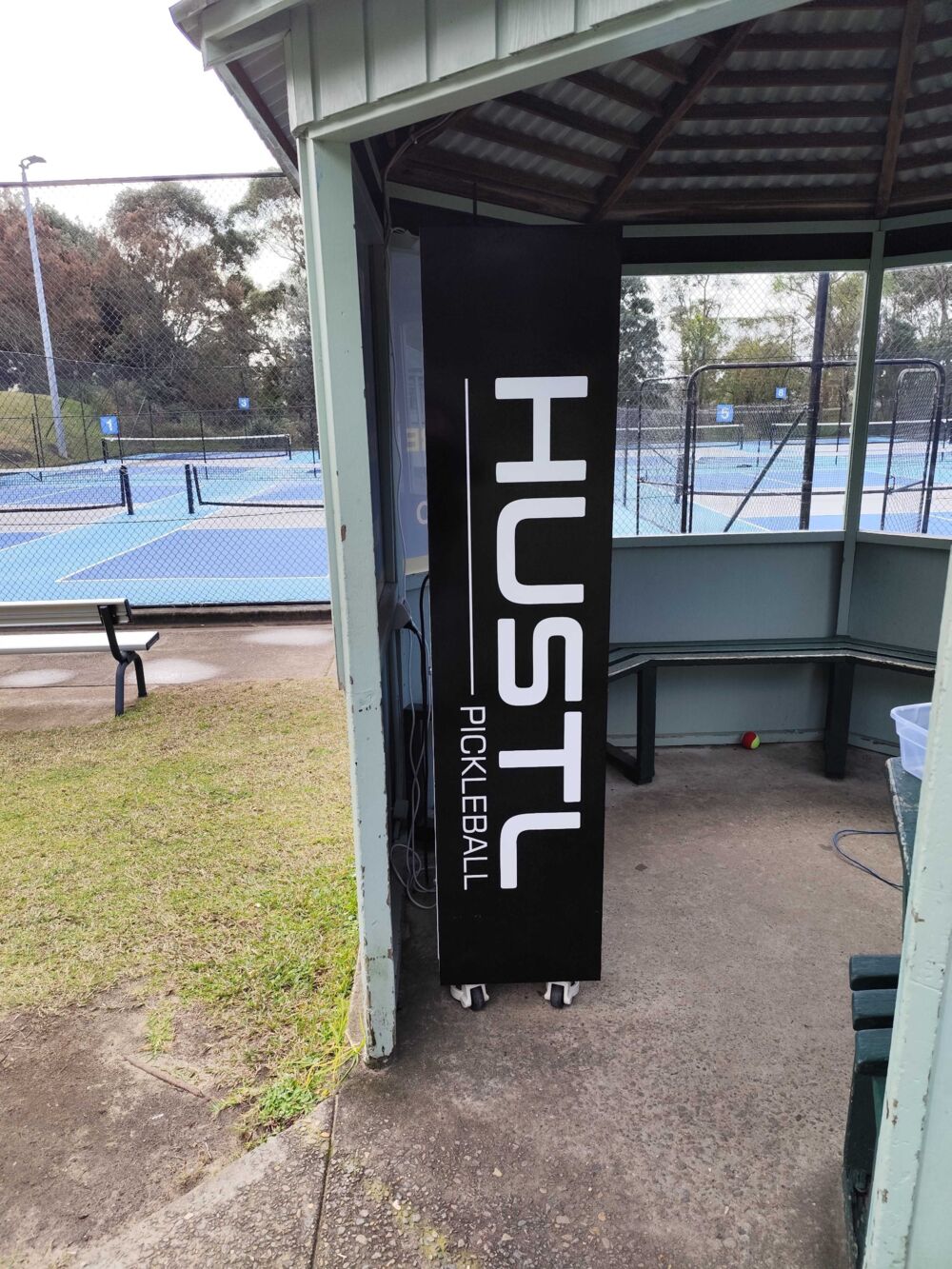
More KioskForce hire lockers in service at Australian sports venues — not renders.
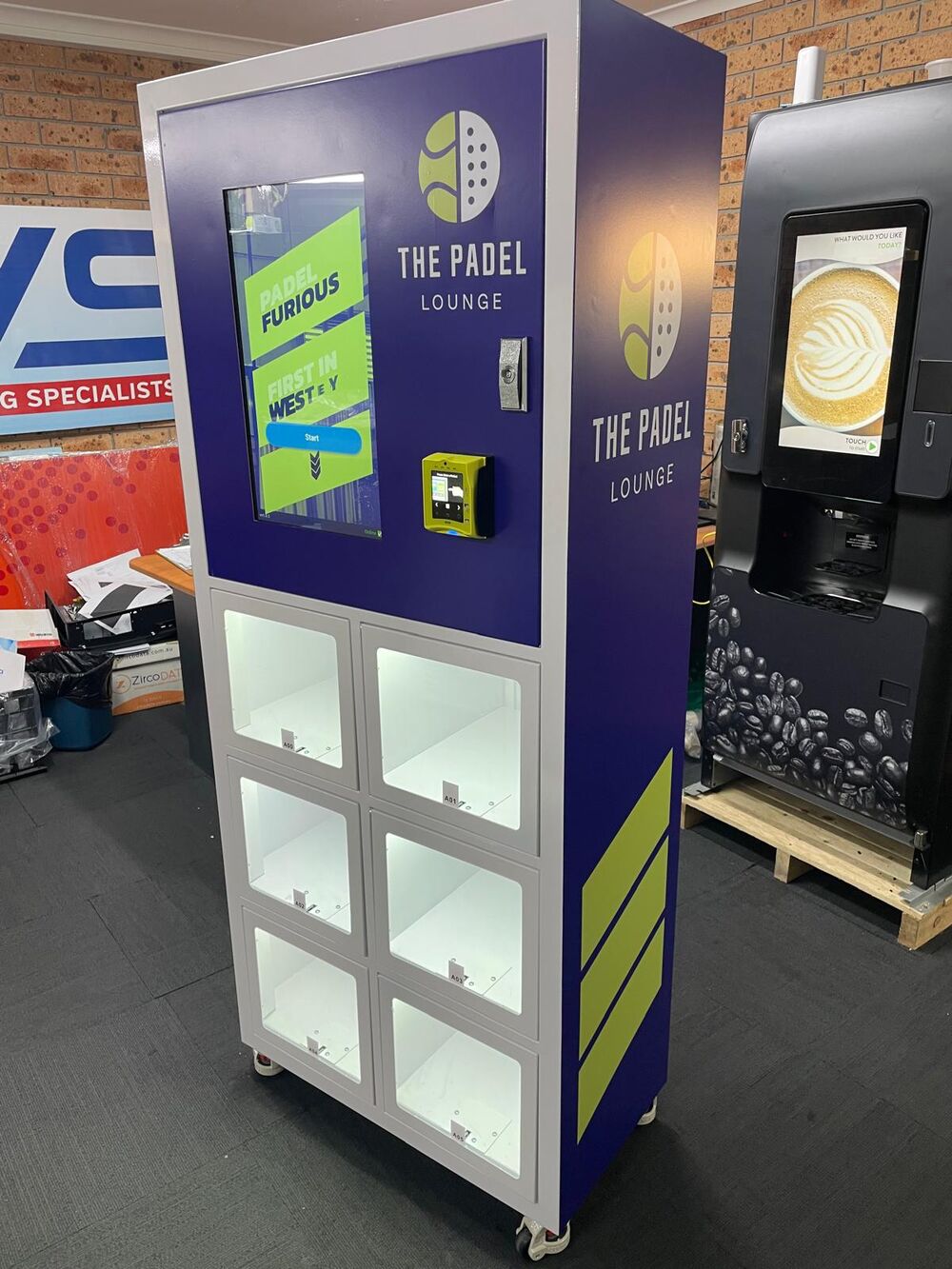
Hire and Sell From the Same Cabinet
You don’t have to choose. Any door can be designated for sale instead of hire — the cabinet runs both modes side by side, and the touchscreen presents them as what they are: a hire that must come back, or a purchase that doesn’t.
That matters because hire customers are your best retail customers. A player who just hired a racquet is the person most likely to need a ball, a grip, or a can of three — and they need it now, at the court, not on their next trip into town. Sending them away empty-handed is a sale you had and gave up.
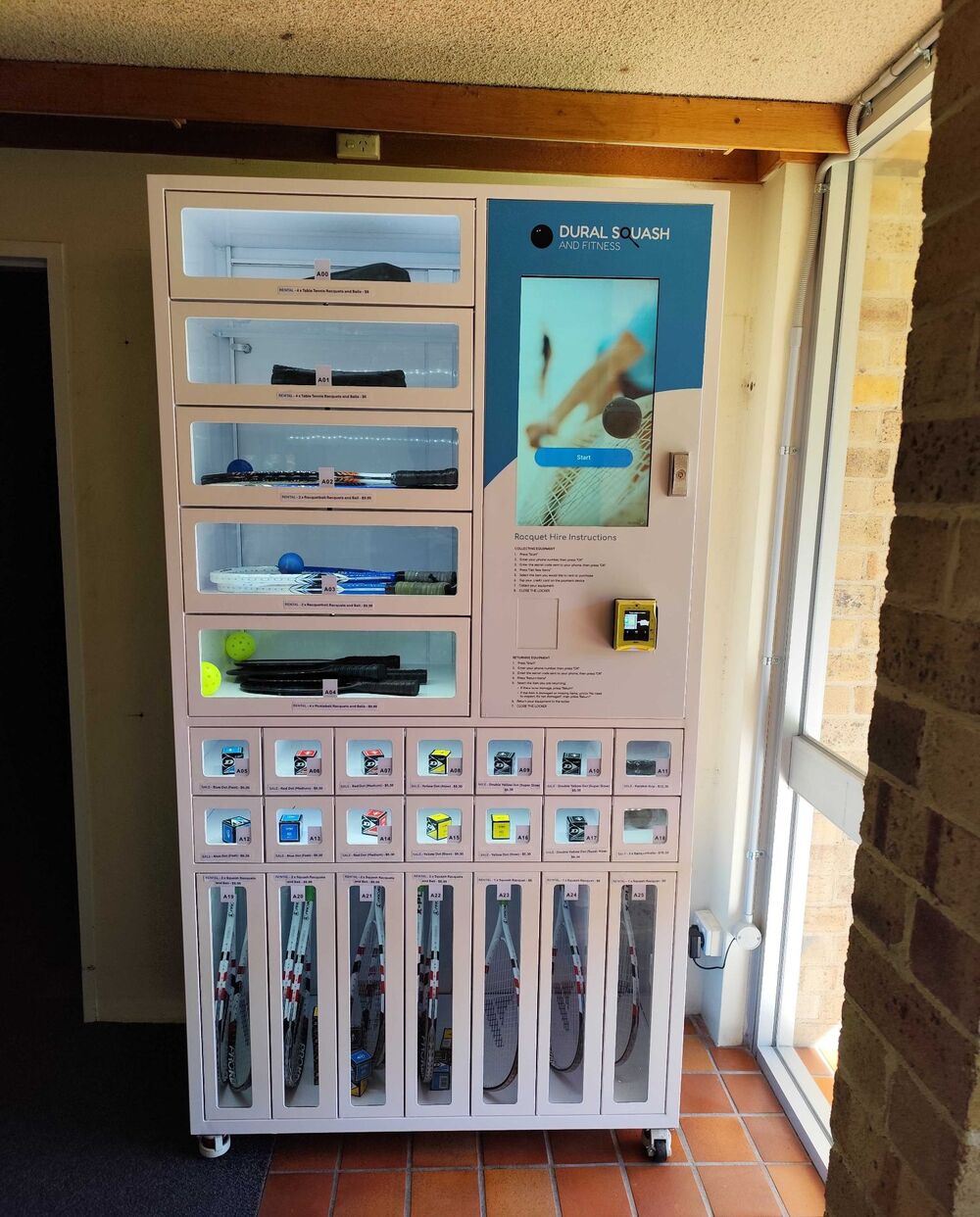
The layout follows from what you’re selling:
| Door type | Typical use | Why the size |
|---|---|---|
| Tall compartments | Racquet, paddle and bat hire | Sized to the longest item you issue — the gear stands upright and comes back to the same class of cell |
| Mid-height drawers | Multi-item hire sets | A set (racquets plus balls) issued and returned as one unit |
| Small pigeon-hole doors | Consumables for sale — balls, grips, overgrips, wristbands | One line per door, so each ball speed or grip type is its own priced selection |
A few things worth knowing before you plan the mix:
- The split is set at build, not in software. Door sizes are physical, so decide how many pigeon holes you want against how many hire compartments before the cabinet is manufactured. The mode of a door — hire or sale — is configurable afterwards; its size is not.
- Sale items don’t need a return path, so a sold ball simply decrements stock. That makes retail doors the cheapest capacity in the cabinet.
- Restocking is one job. Whoever refills the ball doors is already on site to check the hire gear, and both show on the same low-stock alert.
- Retail pricing is yours. Set it per door, and change it remotely without touching the machine.
If you’re unsure of the ratio, start with more hire compartments than you think you need and a small block of retail doors — the sale lines you actually move show up in the first month’s data, and the next cabinet is planned from that rather than from a guess.
Paying at the Locker: The Cashless Device
The small terminal beside the touchscreen in the photos above takes the tap — but in equipment hire it is doing something a vending machine never has to do. At the moment the customer pays, nobody yet knows the final amount. The racquet might come back in an hour, or come back damaged, or not come back at all. The card has to cover a bill that isn’t written yet.
That is why the payment integration matters more here than in retail vending, and it is the one thing most locker suppliers gloss over.
How hire payment actually works: authorise now, settle later
Our standard build for hire uses a Nayax card reader running the Marshall protocol in its multi-session configuration. The flow splits payment into two halves:
| Stage | What happens |
|---|---|
| At pickup | The customer taps. The card is authorised against the selection — the money is committed but not taken, and the door opens. |
| During the session | The session stays open while the customer plays. The machine is free to run longer than a vending machine’s normal transaction window. |
| At return | The peripheral explicitly closes the session and settlement follows for the amount actually owed. Nayax supports settlement anywhere from one minute to 71 hours after the initial authorisation. |
Those 71 hours are why the model works. A session that stays open for most of three days covers a customer who hires in the morning and returns after work — and it means the sign on the locker in the photo above (“return your equipment or your card will be charged”) describes a real mechanism, not a threat the machine can’t enforce.
Nayax builds the multi-session configuration for exactly this class of machine — their own documentation names EV chargers, lockers and rental stations as the target. Note that Marshall runs over RS232 rather than MDB; it is a different integration from the standard MDB cashless interface described below, and it is the one that makes deferred settlement possible.
Certified by Nayax for equipment rental
Nayax has certified KioskForce’s integration for the equipment-rental application. The certificate identifies the following configuration, presented here in English for international customers:
| Certification field | Value |
|---|---|
| Application | Equipment Rental |
| Payment configuration | Marshall Multi-Session Payment |
| Machine ID | 127951031 |
| Valid | 31 March 2026 – 31 March 2028 |
| Signed by | Nayax COO and Support Manager |
This confirms the integration for an equipment-rental workflow rather than a standard vending transaction. Payment-provider availability and acquiring capability still vary by country, so the final payment configuration is confirmed for your market in the quotation.
Other readers: we are not tied to one brand
Where a hire operation doesn’t need deferred settlement — pay the full amount up front, take the gear, bring it back — the standard MDB cashless interface applies, and the reader is a choice.
MDB is the vending industry’s standard interface between a machine controller and a payment device. Anything presenting a standard MDB cashless interface can, in principle, be wired in:
| Reader | Notes |
|---|---|
| Nayax | Our standard for hire builds, over Marshall for multi-session, or over MDB cashless for straightforward pay-up-front |
| Cantaloupe | Supported over the standard MDB cashless interface |
| Vending on Track VendCoin | Built by our Australian software partner, Vending on Track — a payment and marketing system with loyalty and campaign features alongside tap-and-go and QR. An option, never a condition of purchase |
| Most other MDB cashless terminals | Supported. Capability is terminal-dependent, and confirmed against the specific make and model at quotation |
If you already have a processor relationship, keeping it is a perfectly good reason to specify a third-party terminal — we have no interest in forcing VendCoin on a venue that is happy with what it has. The one consequence to plan for: a third-party terminal is usually the single item in the cabinet that isn’t ours, so its warranty, firmware and replacement parts come from its vendor rather than from us.
Will my reader work?
This deserves a specific answer rather than a general assurance. Send us three things — the make and model of the terminal, the MDB documentation its vendor publishes for it, and the country the machine will operate in — and compatibility is confirmed on your quotation:
| Check | What decides it |
|---|---|
| Interface | Whether the device presents a standard MDB cashless interface, and which MDB revision it implements |
| Physical fit and power | Whether it fits the cabinet position and its power requirement is met inside the machine |
| Acquiring | Whether the processor behind the terminal is licensed to acquire transactions in your market |
The third check is the one buyers most often skip, and the one that bites — a terminal can be electrically perfect and still be useless because its processor doesn’t operate in the destination country. Confirm it with the processor before the cabinet is built.
One hire-specific addition to that list: ask whether the terminal and processor support deferred settlement at all. A reader that can only take a fixed amount at the moment of the tap will handle a pay-up-front hire perfectly well and cannot support a hold-and-settle-on-return model.
QR and mobile payment, including methods we haven’t built yet
Not every payment method needs a reader. On-screen QR is native to the machine: the screen generates a code for the transaction and the customer scans it with their own phone, which does the work a reader would otherwise do. WeChat Pay and Alipay are supported in eligible regions today, and because this is software rather than hardware it can be enabled or disabled per machine from the dashboard after deployment.
More usefully for anyone outside those markets: we write the machine software in-house, so QR and mobile payment methods we don’t already support can be added. A local wallet, a domestic QR scheme, a national mobile-payment rail, or a venue’s own membership app — extending to one is a project-scoped piece of development against that provider’s API, scoped and quoted like any other integration, not an off-the-shelf module we can promise blind. Send us the provider and its developer documentation and we will tell you what it takes.
That matters in hire specifically. Players and members reach for whatever their phone already has; the venue that only accepts a card leaves the walk-up customer standing at the locker.
Where the money and the sales data live
Two systems, answering different questions:
- Your processor’s portal (Nayax, Cantaloupe, or whoever acquires) answers did the money settle.
- The KioskForce dashboard answers what was hired, from which cell, by whom, and when — and it does so for card transactions too, because item-level detail comes from the machine’s own telemetry, not from the payment terminal. This is the difference buyers notice too late on low-cost imported machines, where a card sale shows up as an amount with no idea which item left the cabinet.
The receipt ID ties the two together for reconciliation.
Full detail — the compatibility matrix, MDB revisions, offline behaviour, and the cash side — is on the payments page.
KioskForce vs Traditional Staffed Rental Desks
| What Most Venues Do | What KioskForce Delivers |
|---|---|
| Staff at a counter — only open during business hours | 24/7 self-service — revenue even when the venue is closed |
| Manual inventory tracking on paper or spreadsheet | Real-time inventory dashboard, automated low-stock alerts |
| No security beyond staff watching the counter | Card held until the gear is returned, with optional per-cell weight sensors that catch theft and damage automatically |
| Fixed pricing, hard to adjust | Dynamic pricing tiers: hourly, daily, membership, peak/off-peak |
| No data on what’s renting or when | Usage analytics: know which equipment rents most, at what times, by which customer segments |
| Expanding means hiring more staff | Expanding means adding more locker modules — same management dashboard |
Equipment Categories We Automate
🎾 Sports Equipment
Automated rental for pickleball paddles, padel rackets, tennis rackets, golf clubs, basketballs, and more. Perfect for sports venues, community centers, and recreation facilities. Browse our sport-specific solutions:
| Sport | Solution Page | Best For |
|---|---|---|
| Pickleball | Pickleball Equipment Hire | Dedicated pickleball venues, community centers |
| Padel | Padel Equipment Hire | Indoor/outdoor padel clubs |
| Tennis | Tennis Equipment Hire | Tennis clubs, public courts |
🔧 Tools & Workshop Equipment
Rent power tools, hand tools, and workshop equipment through self-service lockers. Ideal for makerspaces, university workshops, and tool libraries. Each compartment is sized to your largest tool, with weight-sensor security for expensive equipment.
🎪 Event & Leisure Equipment
Rent cameras, audio gear, camping equipment, or event supplies. Our lockers can be configured for any equipment shape or size — we design the compartments around your inventory, not the other way around.
Why Venues Choose Automated Equipment Rental
💰 24/7 Revenue Without Adding Staff
The single biggest reason venues switch: your equipment earns money while you sleep. A 10-court pickleball venue with an $8,000 locker system typically generates $8,000-9,000/month in net rental revenue — with zero additional staffing cost. Early-morning players, late-night sessions, and walk-in tourists all become revenue opportunities.
🔒 Weight-Sensor Verification — Optional, Specified Per Cell
Staffed counters lose money to unreturned equipment and unnoticed damage. Every rental carries an audit trail as standard — who took what, from which cell, when, and against which card — and the card stays on the hook until the gear is back.
Weight sensing is the optional layer on top. Where a cell is specified with a weight sensor, it also records pickup weight and return weight, so equipment that isn’t returned or comes back damaged is flagged immediately rather than at end-of-month inventory. Sensors are integrated during manufacture and cannot be retrofitted in the field, so the cells worth verifying are chosen when the order is placed — many venues fit them only to the compartments holding their most expensive equipment. Two similar items sharing a cell can’t be told apart by weight alone, so the record is cell-level rather than item-level. See dispense reliability for how verification methods compare.
📊 Real-Time Analytics, Not Guesswork
Know exactly which equipment rents most, peak usage hours, revenue per compartment, and customer return rates. Use this data to adjust pricing, restock popular items, and justify expansion to management.
🌦️ Weather-Resistant, Outdoor-Ready
Our lockers use PC (polycarbonate) doors and weather-resistant construction — rated for outdoor installation at courtside. The courtside unit pictured above runs year-round in an open-sided shelter beside outdoor courts. Rain, sun, and temperature swings won’t stop your rental operation.
What to Expect: Deployment Timeline
| Phase | Duration | What Happens |
|---|---|---|
| Consultation & Design | 1-2 weeks | We assess your venue, equipment inventory, and requirements. Lockers are sized to your items. |
| Manufacturing | 2-4 weeks | Lockers are built to your compartment specifications. Software is configured for your payment methods and branding. |
| Shipping (installation optional) | 1-2 weeks | Lockers are shipped to your venue. Installation and testing are done by your own contractor or, in some regions, a local distributor. Staff training is remote, or on site through a local distributor where there is one. |
| Go Live | Day 1 | System is live. We monitor the first week of operation remotely. Ongoing support is by email, or through the local distributor where one supplied the system. |
Standard deployment: 4-8 weeks from order to live operation.
Flexible Investment Options
We offer two paths — buy outright or lease-to-own:
| Option | Best For | Details |
|---|---|---|
| Purchase | Venues with capital budget | One-time investment. Full ownership from day one. |
| Lease-to-Own | Venues wanting to prove ROI first | Lower upfront cost. Monthly payments. Ownership transfers after term. |
Contact our team for a customized quote based on your venue’s equipment types, volume, and integration requirements.
Get Started
Ready to automate your equipment hire? Here’s what happens next:
- You reach out — tell us about your venue and equipment
- We design — compartment sizing, payment setup, software configuration
- We build & ship — 4-8 weeks to live operation
- You earn — 24/7 rental revenue, zero staff overhead
Project brief · 60 seconds
What are we building together?
Three quick steps. Your brief goes straight to the engineers who design, build and support KioskForce systems.

