
Updated 2 October 2026.
What makes a kiosk an outdoor kiosk
An outdoor kiosk is a self-service terminal designed for rain, dust, direct sun, heat, cold and public space where nobody is watching it. It can be an outdoor information kiosk in a park, a ticket or payment kiosk at a car park, an outdoor retail kiosk at a petrol station or campus, or a locker or vending machine beside a sports court.
An indoor kiosk moved outside usually fails in one of five ways: water or dust gets in, the screen washes out in the sun, the electronics overheat or condense, someone breaks the glass, or the power connection is not safe in the wet. A weatherproof kiosk is designed against each of those from the start. This guide explains what to specify for each one, whoever builds the kiosk. For the touchscreen, operating system and accessibility basics that apply indoors and out, start with our interactive kiosk guide.
Outdoor kiosk specification at a glance
| Risk | What to specify | Standard or unit |
|---|---|---|
| Water and dust | Ingress rating for the whole enclosure, not just the screen | IP code (IEC 60529) or NEMA 250 type |
| Sun on the screen | Brightness, anti-reflective glass, optical bonding | Nits (cd/m²) |
| Heat and cold | Heating, sealed cooling, operating temperature range | °C / °F range, tested |
| Vandalism | Impact rating of glass and enclosure; tamper-resistant fixings | IK code (IEC 62262) |
| Corrosion | Material and finish (stainless, galvanised or powder-coated steel) | Salt spray or NEMA “X” types where needed |
| Power | Weatherproof supply, surge protection, earthing | Local electrical code |
| Network | Cellular 4G/5G or buried Ethernet; external antenna | Site survey |
| Wind and theft | Anchoring to a concrete pad or footing | Engineer’s check for tall units |
Ingress protection: IP vs NEMA
The IP code (IEC 60529)
The IP code has two digits. The first (0–6) rates protection against solid objects and dust; the second (0–9) rates protection against water. For outdoor kiosks the levels that matter are (IP code reference):
| Code | Meaning |
|---|---|
| 5_ | Dust-protected: some dust may enter, but not enough to interfere with operation |
| 6_ | Dust-tight: no dust ingress |
| _4 | Splashing water from any direction |
| _5 | Water jets: 12.5 L/min from a 6.3 mm nozzle |
| _6 | Powerful water jets: 100 L/min from a 12.5 mm nozzle |
| _7 | Temporary immersion to 1 m for 30 minutes |
So IP65 means dust-tight and protected against water jets, and is a common specification for a fully exposed kiosk. IP66 suits sites that are pressure-washed or face driving rain. Two traps:
- Water ratings are not cumulative above IPX6. A device rated IPX7 (immersion) is not automatically IPX5 or IPX6 (jets); a product that passes both should be marked e.g. IPX6/IPX7. Kiosks need jet resistance, not immersion.
- A rated screen is not a rated kiosk. Many outdoor monitors carry an IP65 front face. The rating that matters is the whole enclosure: doors, cable entries, vents, card readers and printer slots.
NEMA 250 enclosure types
In North America, enclosures are often specified by NEMA type. From NEMA’s own summary of NEMA 250:
- Type 3R: indoor or outdoor; protects against falling dirt, rain, sleet and snow, and is undamaged by ice forming on the enclosure.
- Type 3: as 3R, plus windblown dust.
- Type 4: as Type 3, plus splashing and hose-directed water.
- Type 4X: as Type 4, plus corrosion protection.
NEMA types also cover corrosion and ice, which the IP code does not, so IP and NEMA ratings are not directly equivalent. Any cross-reference table is an approximation. Ask which system your tender, landlord or electrical inspector uses, and specify that one.
Sheltered vs fully exposed
Placement changes the specification more than anything else. A kiosk under a deep canopy, in a bus shelter or in an open-sided structure sees little direct rain and less sun on the screen, which lowers the ingress rating, brightness and cooling it needs, and the cost. If you can choose the site, put shelter on the list.
Sunlight-readable screens
A standard indoor panel is about 250–350 nits. Outdoors, display makers commonly recommend about 700–1,500 nits for shaded or covered sites and about 2,500–4,000 nits or more where the screen faces direct sun (industrial display maker’s brightness guide). Brightness alone is not enough:
- Optical bonding. Filling the air gap between the LCD and the cover glass with optically clear adhesive removes two reflective surfaces, raises contrast in sunlight, and removes the gap where condensation forms behind the glass (optical bonding). For a sunlit outdoor kiosk, specify it.
- Anti-reflective or anti-glare glass. Cuts the reflection of the sky and surroundings, which is often what makes a bright screen unreadable.
- Automatic brightness. An ambient light sensor dims the screen at night, saving power and heat and avoiding glare.
- Orientation and hood. Facing the screen away from the low afternoon sun, or adding a hood, can save a brightness class.
- Polarised sunglasses. LCDs emit polarised light, and at some angles a screen goes dark through polarised sunglasses. Test the chosen panel and orientation with a pair before you sign off.
High-brightness panels draw more power and produce more heat, which feeds directly into the next section.
Thermal management: heating and cooling
An outdoor kiosk has two heat sources: the electronics and backlight inside, and the sun on the outside. A dark enclosure in direct sun can get far hotter inside than the air around it. In cold climates the problem reverses: screens respond slowly, printers and batteries struggle, and condensation forms when the kiosk warms up.
- Cooling. Filtered fans are cheapest but bring outside air, dust and moisture inside, which conflicts with a high IP rating. Sealed systems (an air-to-air heat exchanger, or a compact air conditioner for hot climates) keep the enclosure closed. Specify which the ingress rating was tested with.
- Heating. Thermostatically controlled heaters keep the screen, printer and payment device inside their operating range in cold weather.
- Colour and shading. Light colours and a sun hood or canopy reduce solar load.
- Component ratings. Ask for the operating temperature range of the screen, computer, payment terminal and printer, not only the enclosure. The narrowest one sets the limit.
- Remote monitoring. Internal temperature and fan or heater status should report to the management dashboard so you see a failing fan before the kiosk shuts down.
Vandal resistance: IK ratings
The IK code (IEC 62262) rates resistance to mechanical impact:
| IK code | Impact energy |
|---|---|
| IK07 | 2 J |
| IK08 | 5 J |
| IK09 | 10 J |
| IK10 | 20 J |
An IK11 level (50 J) was added in 2021. For an unsupervised public kiosk, IK08 or above for the screen glass is a reasonable starting point, and IK10 is often specified for transit, parks and other high-risk sites. Ask whether the rating applies to the glass, the enclosure, or both. Other vandal measures:
- Thick tempered or laminated cover glass in front of the touchscreen (PCAP works through it; see touch technology).
- Tamper-resistant fixings, no exposed screws, and lockable service doors with restricted keys.
- Recessed or shuttered card readers and slots, and anti-skimming measures on payment devices.
- Steel enclosure anchored to a concrete pad, with tamper and door-open alerts to the dashboard.
Power and network at the site
Outdoor kiosks often fail on site works rather than hardware.
- Power. Bring a dedicated circuit with surge protection and earthing, installed by a licensed electrician. In the US, the National Electrical Code requires 15 and 20 A, 125 and 250 V receptacles in wet locations to have an enclosure that is weatherproof whether or not a plug is inserted (NEC 406.9(B)(1); see this summary of the rule). Hard-wiring the kiosk avoids the issue. Elsewhere, follow your local wiring rules; see our power and compliance guide.
- Network. Trenching Ethernet to a kiosk in a park is expensive. 4G/5G cellular with an external antenna is usually simpler; test signal strength at the exact spot first. Ethernet stays the most reliable where it already exists.
- Offline behaviour. Decide what the kiosk does when the network drops: queue transactions, show a message, or keep dispensing to authorised users.
- Foundation and access. Plan the concrete pad, conduit entry under the kiosk, and space for the service door to open.
Accessibility outdoors
The ADA reach ranges apply outdoors too: in the US, controls within 15 to 48 inches of the finished floor or ground and a clear ground space of at least 30 by 48 inches (ADA 2010 Standards §308 and §305). For ATMs and fare machines, §707 also requires a screen visible from 40 inches above the centre of the clear space, speech output and tactile input. Outdoors that means a level, firm pad and an approach route, and a screen tilt that works for a seated user without catching the sun. See accessibility on the interactive kiosk page.
Where an outdoor kiosk is the wrong answer
- You can put it inside or under cover. An indoor or sheltered kiosk is cheaper to buy, run and maintain. Look hard at a doorway, lobby or canopy first.
- Nobody will maintain it. Outdoor kiosks need filters cleaned, glass wiped and fans checked. If no one owns that, it will degrade.
- Your project requires US-made or Buy America content. KioskForce manufactures in China. Federally funded US transit and some public-sector projects require domestic manufacture; buy from a US manufacturer for those.
- You need it next week. A properly rated outdoor kiosk is designed and tested for the site; that takes weeks.
Questions to send any outdoor kiosk manufacturer
- What IP code or NEMA type does the whole enclosure carry, and can we see the test report from the lab that issued it?
- Was it tested with the fans, vents, card reader and printer fitted?
- Screen brightness in nits; is it optically bonded; what anti-reflective treatment?
- Operating temperature range of each component, and how the kiosk heats and cools without breaking the seal?
- IK rating of the glass and enclosure?
- Enclosure material, finish and corrosion protection for our climate (coastal, de-icing salt)?
- Which certification marks for our market, with certificates?
- How is it anchored, and what power, conduit and network does the site need?
- Who services it locally, and what parts are kept in stock?
How KioskForce answers
| Question | Our answer |
|---|---|
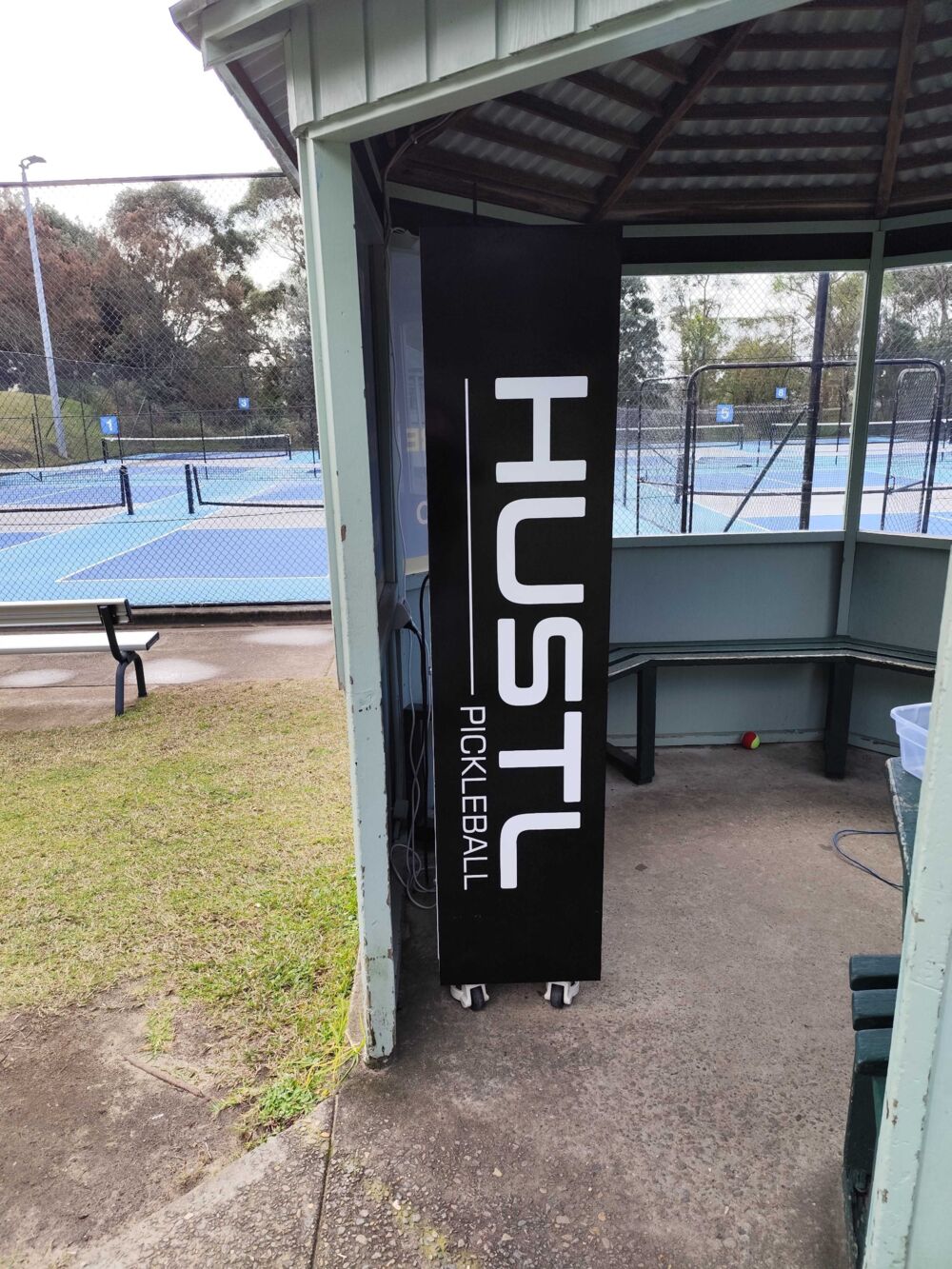
| Do you build outdoor kiosks? | Yes, to specification: kiosks, vending machines and smart lockers for sheltered and outdoor sites. Our equipment-hire lockers run year-round in an open-sided shelter beside outdoor courts. |
| Published IP rating? | None. We do not publish a standard IP or NEMA rating. The ingress rating, and the testing behind it, is specified per project and confirmed on the quotation. |
| Screen | Brightness, bonding and size specified per project around the site’s light. See interactive kiosks. |
| Enclosure | Steel enclosures designed in-house at our Nanjing office and built in several partner factories in China; finish and corrosion protection per site. |
| Connectivity | Ethernet with optional WiFi and 4G/5G; managed through the Vending on Track cloud dashboard. |
| Certification | Specified per destination market and confirmed on the quotation. See power and compliance. |
| Installation | Optional, done by your contractor or, in some regions, a local distributor. KioskForce does not install on site. Support is by email, or through the local distributor where one supplied the kiosk. |
| MOQ and lead time | 1 unit for modified standard models (4–6 weeks); typically 10 for fully custom designs (8–12 weeks); outdoor-specific testing is scoped with the project. |
| Price | Quoted per specification; outdoor rating, bright screens and climate control add cost to the indoor prices on kiosk cost. |
We sell direct and, in some regions, through local distributors.
Frequently asked questions
What IP rating does an outdoor kiosk need?
For a fully exposed kiosk, IP65 is a common specification: dust-tight, and protected against low-pressure water jets from any direction. IP66 adds protection against powerful jets, for sites that are pressure-washed or exposed to driving rain. A kiosk under a canopy or in an open-sided shelter may need less. Ask for the test report, because a sealed screen alone does not make the whole enclosure rated.
What is the difference between IP and NEMA ratings?
The IP code (IEC 60529) rates protection against solids and water only. NEMA 250 enclosure types, used mainly in North America, also cover things such as corrosion and the effects of ice forming on the enclosure. The two are not directly equivalent, so treat any IP-to-NEMA conversion as approximate and ask for the rating your specification or local inspector actually calls for.
How bright should an outdoor kiosk screen be?
Display makers commonly recommend about 700 to 1,500 nits for covered or shaded outdoor sites and about 2,500 nits or more where the screen faces direct sun. Optical bonding and anti-reflective glass matter as much as brightness, because reflections wash out the image. Orient the kiosk so the screen does not face the afternoon sun where you can.
What IK rating should an outdoor kiosk have?
IEC 62262 IK codes rate resistance to impact energy, from IK07 at 2 joules to IK10 at 20 joules. For an unsupervised public kiosk, IK08 (5 joules) or above for the screen glass is a reasonable starting point, and IK10 is often specified for high-risk sites. Ask whether the rating applies to the glass, the enclosure, or both.
Can an indoor kiosk be used outdoors?
Not safely in direct weather. An indoor kiosk has no sealed enclosure, its screen is usually 250 to 350 nits and unreadable in sun, it has no heater or sealed cooling, and its power connections are not rated for wet locations. Under a deep canopy or in an open-sided shelter, an indoor-derived kiosk with weather-resistant construction can work, but that is a design decision to make with the manufacturer, not a retrofit.
Does KioskForce make outdoor kiosks?
Yes, to specification. KioskForce designs kiosks, vending machines and smart lockers for sheltered and outdoor sites, and our equipment-hire lockers run year-round in an open-sided shelter beside outdoor courts. We do not publish a standard IP rating: the ingress rating, screen brightness, heating and cooling and certification are specified per project and confirmed on the quotation.
Related reading
- Interactive and touch screen kiosks: hardware guide
- Custom kiosk manufacturer
- Kiosk cost and types of kiosks
- Ticketing kiosks and payment kiosks
- Smart lockers and equipment hire lockers
- Power and compliance buying guide
- Shipping and landed cost
Get started
Tell us where the kiosk will stand (fully exposed, sheltered or under a canopy), the climate, what it has to do, and what power and network the site has. We will propose the enclosure, screen, climate control and rating to test to, and confirm them on the quotation.
Project brief · 60 seconds
What are we building together?
Three quick steps. Your brief goes straight to the engineers who design, build and support KioskForce systems.

